
How to Edit Photos on Your Phone Browser (Step by Step)
July 6, 2026 By imageresize.cc
You do not need desktop software to edit from camera roll on mobile. Follow the steps below; each one matches a real button in the imageresize.cc editor.
What you'll need
- One or more images (up to 10 per batch, 10 MB each)
- Any modern browser on computer, tablet, or phone
- No account — start immediately
Step 1: Open imageresize.cc
Use Safari, Chrome, or any mobile browser. Bookmark the page if you use this workflow often.
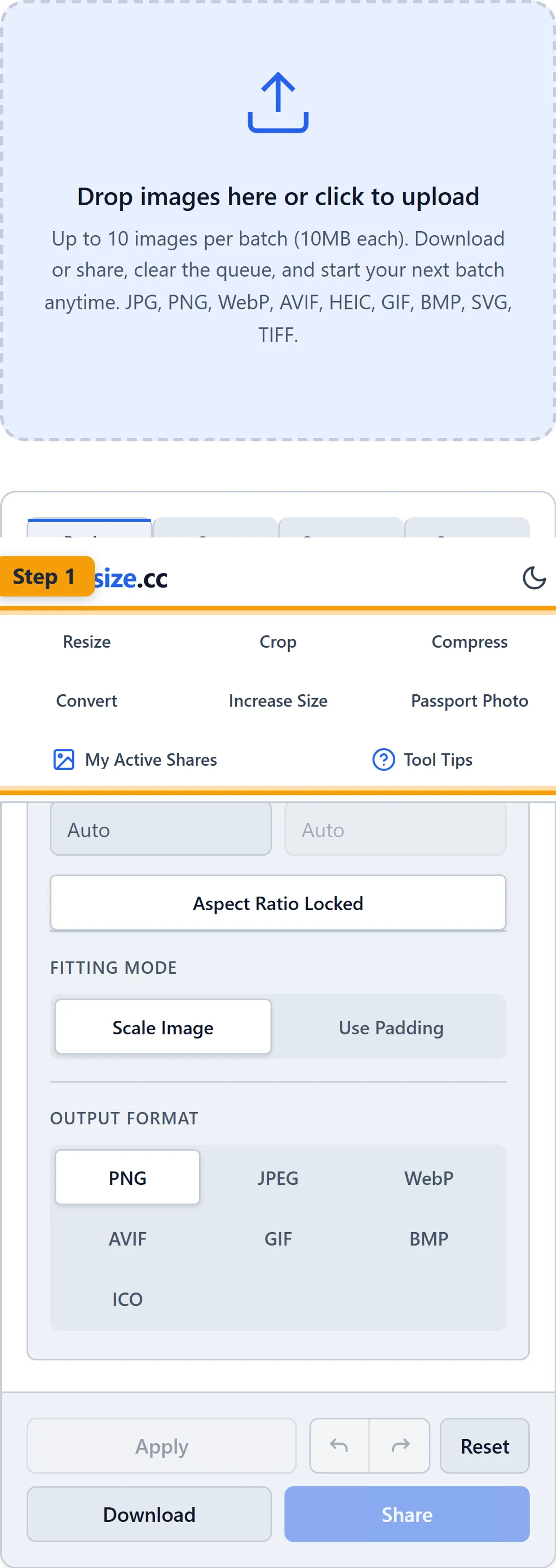
Step 2: Tap upload
Choose photo from camera roll or take a new picture. If the preview looks wrong, check you picked the correct source file.

Step 3: Use Social presets
Quickly size for Instagram, TikTok, or other platforms.

Step 4: Download or share
Save to photos or copy a share link.

Practical tip
Bookmark imageresize.cc — no account needed, works on desktop and mobile.
Try it yourself
When you are happy with the preview, download to your device or share a link — your choice. Open the Mobile editor →
Related: How imageresize.cc works · FAQ
Common questions
Is imageresize.cc free?
Yes. Free tools with no watermark and no signup.